
The guideKeyboard shortcuts
Keyboard shortcuts
Every binding, listed from the same place the app reads them.
Kyurations is built to be worked from the keyboard. Command-K opens a palette that searches and runs commands, a question mark shows the same list you are reading now inside the app, and single letters act on whatever is focused. Bare keys never fire while you are typing, and they can be switched off entirely if you dictate.
How the bindings work
Shortcuts are scoped rather than global. The innermost thing that is active and has a handler wins, which is why r refreshes a focused item from its source but refreshes the whole library when nothing is focused. Neither one needs to know about the other.
Bare letters do not fire while you are typing into a field. Modifier shortcuts do, because a palette you cannot open from a search box is a palette you reach for and miss.
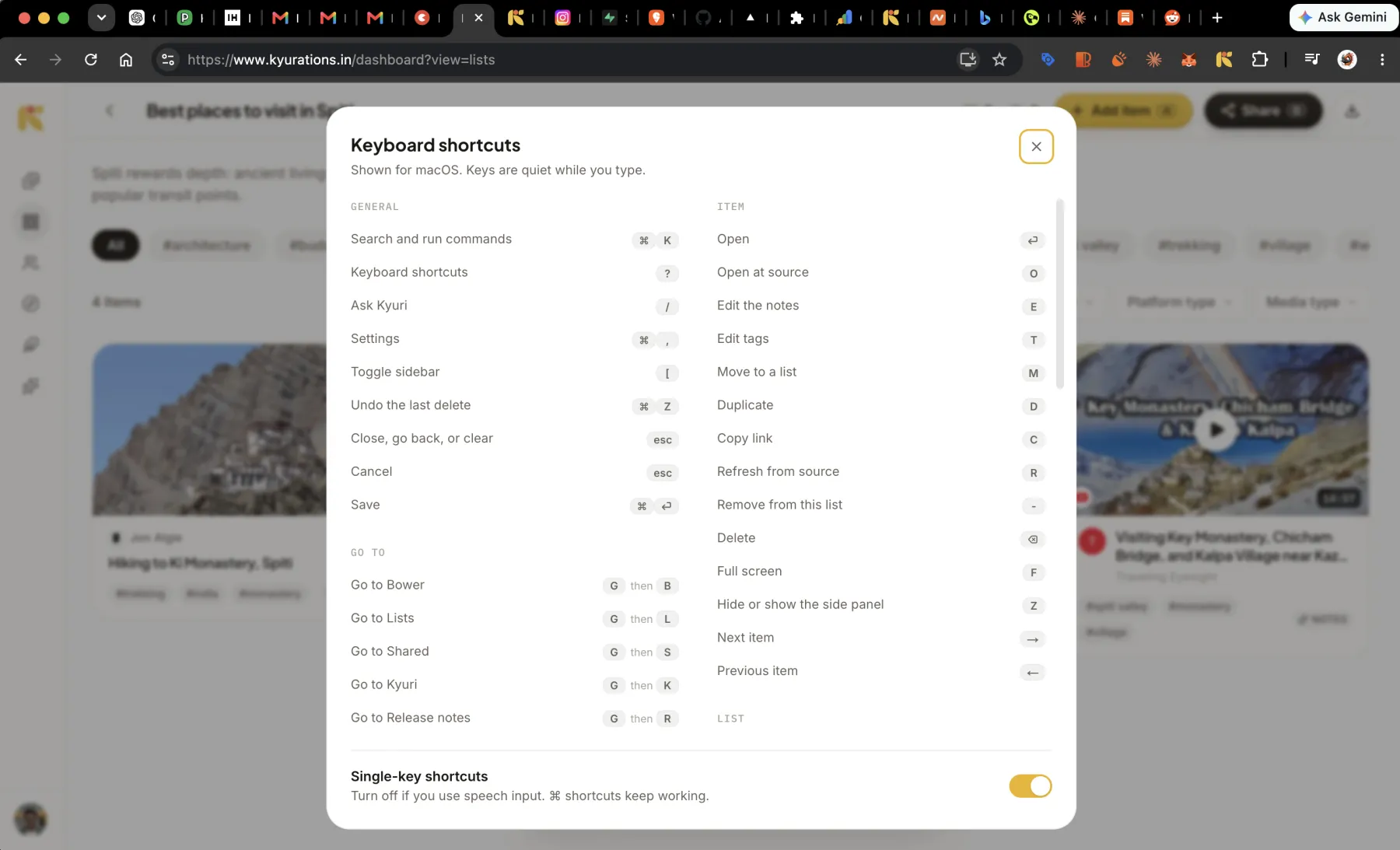
Bindings show here as your own machine spells them: the Command glyph on a Mac, Ctrl elsewhere.
General
Everywhere, whatever you are looking at.
- Search and run commandsCtrlK
- Keyboard shortcuts?orShift/
- Ask Kyuri/
- SettingsCtrl,
- Toggle sidebar[
- Undo the last deleteCtrlZ
- Close, go back, or clearEsc
- CancelEsc
- SaveCtrlEnter
Go to
Two keys: press g, then the letter. Chords rather than modifiers, so nothing collides with the browser.
- Go to BowerGthenB
- Go to ListsGthenL
- Go to SharedGthenS
- Go to KyuriGthenK
- Go to the Feature guideGthenF
- Go to Release notesGthenR
Library
On the Bower, Lists and Shared.
- Add itemA
- New listN
- Switch viewV
- RefreshR
- Shuffle the BowerS
- Clear all filtersShiftF
Moving around
The grid has a cursor. These move it.
- Next cardJor↓
- Previous cardKor↑
- Card to the right→
- Card to the left←
- First cardhome
- Last cardend
- Select this cardX
- Select everything visibleShiftA
Item
When a card is focused, or its detail view is open.
- OpenEnter
- Open at sourceO
- Edit the notesE
- Edit tagsT
- Move to a listM
- DuplicateD
- Copy linkC
- Refresh from sourceR
- Remove from this list-
- DeleteBackspaceorDel
- Full screenF
- Hide or show the side panelZ
- Next item→
- Previous item←
Reels
In the full-screen reels player, which sits above everything else while it is open.
- Next reelJor↓
- Previous reelKor↑
- Mute or unmuteM
- Close the playerEsc
List
When a list card is focused, or you are inside one.
- OpenEnter
- Add itemsA
- ShareS
- RenameE
- DuplicateD
- AnalyticsI
- Sign a draftShiftS
- Delete listBackspaceorDel
Selection
Once one or more cards are selected.
- Move to a listM
- New list from selectionN
- Open all at sourceO
- Delete selectedBackspaceorDel
Kyuri
In the chat.
- New chatCtrlShiftO
- Hand off this chatCtrlShiftE
- Focus the composer/
- SendEnter
- New lineShiftEnter
Public list
For a visitor reading a collection somebody published.
- Like this listL
- SubscribeB
- Read or galleryV
Questions
- How do I see shortcuts inside the app?
- Press the question mark key. The panel it opens is built from the same registry as this page, so the two cannot disagree.
- Can I turn single-key shortcuts off?
- Yes, in Settings. It is there for people who use speech input, where dictation types bare letters into whatever has focus. Modifier shortcuts keep working.
- Can I rebind a key?
- Not today. The bindings are fixed, and the only preference is whether single-key ones fire at all.