
The guideStart here
Everything Kyurations does
Ten chapters, following one saved thing from the moment you keep it to the moment somebody else reads it.
Kyurations is a curation tool. You save a link, a note or a file from anywhere on the web, and it arrives as a card carrying its cover, author, tags and a short summary, already filled in. Lists form themselves out of what accumulates, you arrange them until they read the way you meant, and you publish the ones worth showing. It is free, the collection is yours, and you can export all of it at any time.
The shape of the thing
Three nouns cover the whole product, and everything else is something you do to one of them.
- An item
- One saved thing. A link, a note, or a file. It has a cover, a summary, tags, your notes and your highlights.
- A list
- An arrangement. A few items, in an order you chose, under a name that says something. An item can be in many.
- The Bower
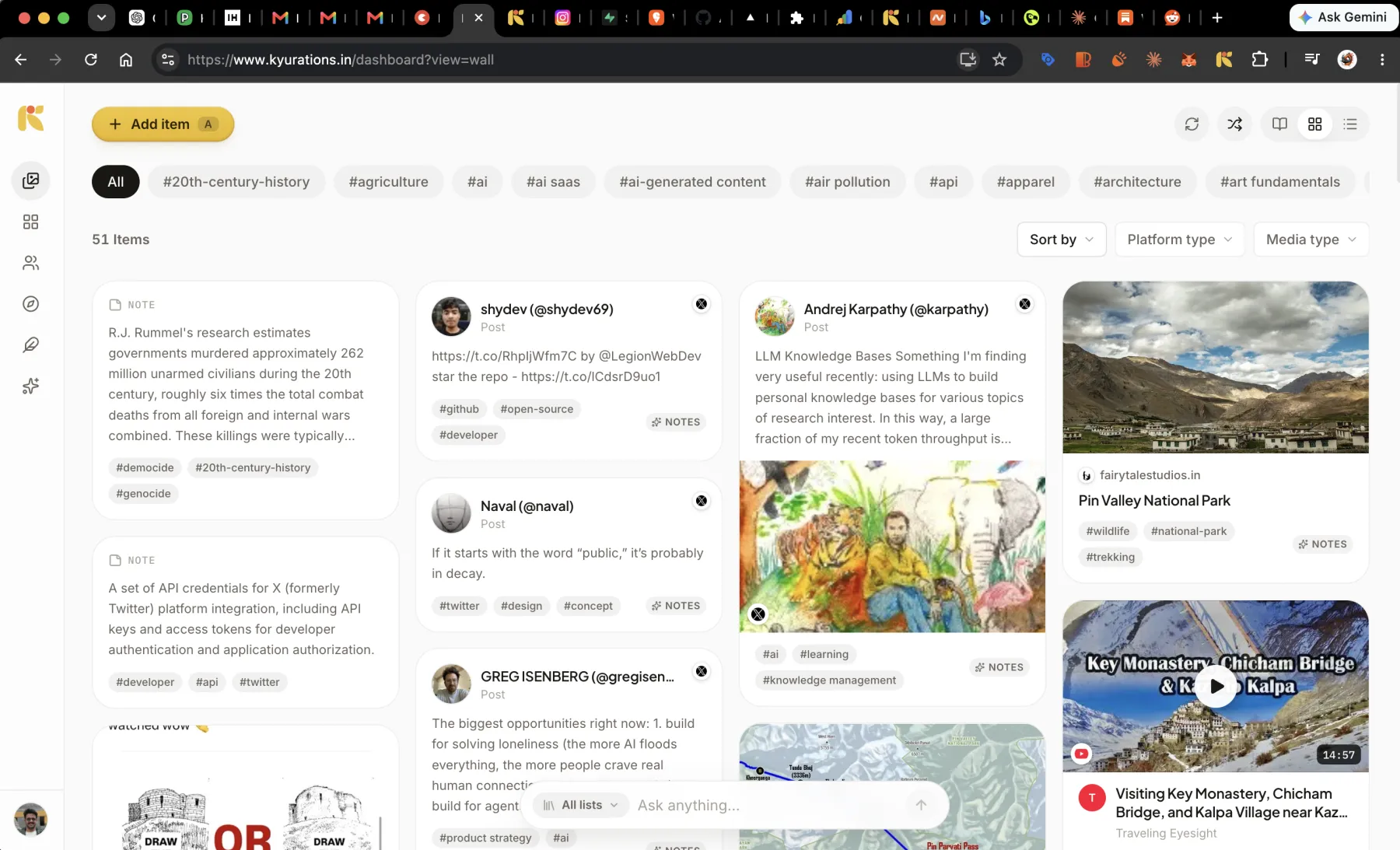
- Everything you have saved, on one wall, with no folders. Lists are views onto it, never copies of it.
The whole loop, in one minute
- 1Save it where you found it. Click the extension on any page, paste a link, write a note, or drop in a file. Nothing asks you to choose a folder.
- 2It arrives already understood. The page is read on the way in: a real title, a short summary, tags matched to the ones you already use, the author, and a cover copied to Kyurations.
- 3It lands on your Bower. One wall holding everything, in three layouts, filtered by tag, platform or media type.
- 4Lists form out of it. When enough related things pile up they are grouped and named for you, and offered as a draft. Sign the draft and the collection is yours.
- 5You read and mark it up. Articles, PDFs, videos and reels open inside Kyurations. Highlight the part that mattered and write down why.
- 6You publish what is worth showing. A list becomes a page anyone can open, a private send to named people, a newsletter, or something you sell.
The chapters
- 01Saving thingsEvery way in, and none of them ask you to file anything.
- 02What happens on saveThe part you would otherwise have to do by hand, done before the card lands.
- 03Your BowerOne wall with everything on it, arranged three different ways.
- 04Reading and marking upOpen the thing, read it, mark the part that mattered.
- 05ListsThe arrangement. Some you make, some arrive already made.
- 06Sharing and publishingA collection nobody sees is a private preference.
- 07Selling a collectionPut a price on the part that took work to find.
- 08Kyuri and AI toolsAsk your collection something, and get an answer with receipts.
- 09Your account and your dataYour handle, your connections, and the door marked exit.
- 10Keyboard shortcutsEvery binding, listed from the same place the app reads them.
Where it runs
In any browser, on a laptop or a phone, and it can be installed to a home screen. The Chrome extension adds one-click saving from any page. Your AI tools reach it over MCP. There is nothing to download to read a collection somebody published.
Last updated 3 October 2026. Everything that ships is dated in the release notes.