
The guideYour Bower
Your Bower
One wall with everything on it, arranged three different ways.
The Bower is the single surface holding everything you have saved. It has no folders. You change how it looks with three layouts, narrow it with tags and facets, and act on many things at once by selecting them. It is named after the bowerbird, which collects objects and arranges them for the pleasure of looking at the arrangement.
Why there are no folders
Filing is the step that kills collections. Deciding where something goes is a small tax charged at the exact moment you are least willing to pay it, and a tool that charges it gets used for a month.
So everything you save lands in one place, and arrangement happens later, when you are in the mood to arrange rather than in the middle of reading something else. Lists are the arrangement. The Bower is everything.

Three ways to look at it
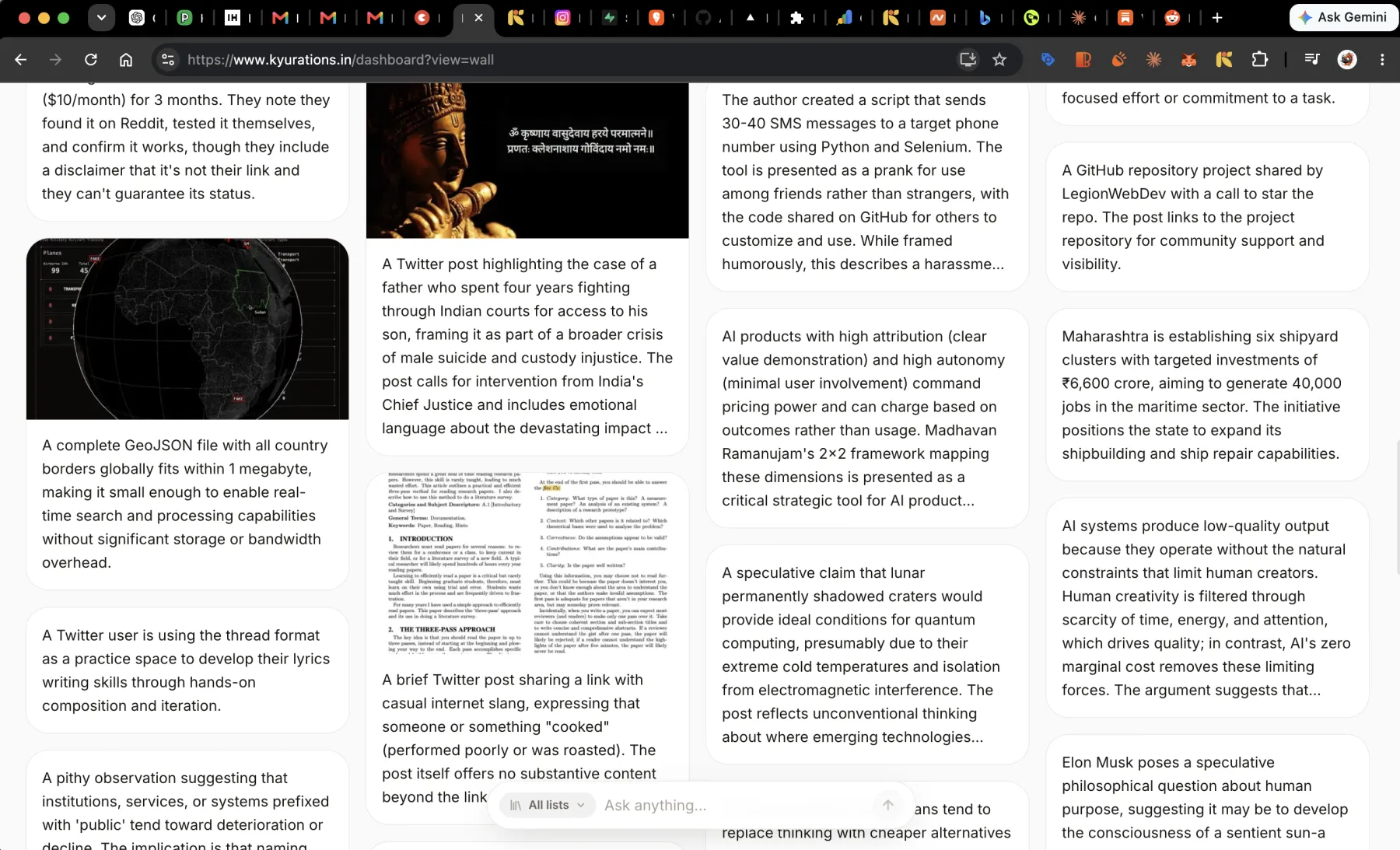
The same collection, three layouts. Which one is right depends on what you are doing, so the toggle is one keypress and the choice sticks.
| Layout | Shows | Good for |
|---|---|---|
| Zen | Summary text, no card chrome, no images | Reading through what you have, when the pictures are a distraction |
| Grid | Platform-true cards in a masonry wall | Recognising things, which is how you actually find them |
| List | Dense metadata rows | Scanning a lot at once, and bulk work |
- Switch viewV
- Shuffle the BowerS
- RefreshR
Shuffle is not a gimmick. A wall in the order you saved things is a wall where the last month is all you ever see. Shuffling surfaces the things you saved in March and have not thought about since.
Narrowing it down
Tags run across the top as chips. Click one to narrow to it. Alongside them are three facets that answer the questions tags cannot.
- Sort by, for changing the order rather than the contents.
- Platform type, for when you want the things from one place: everything from YouTube, everything from X.
- Media type, for when you want one kind of thing: every video, every note, every file.
- Clear all filtersShiftF
Working the grid from the keyboard
The grid has a cursor. You can move through it, open things, and act on them without reaching for the mouse. This is the part that turns a browse into a session.
- Next cardJor↓
- Previous cardKor↑
- Card to the right→
- Card to the left←
- OpenEnter
- Open at sourceO
Doing something to many things at once
Select cards and a bar appears with what you can do to all of them. Moving forty things into a new list is one action, not forty.
- Select this cardX
- Select everything visibleShiftA
- Move to a listM
- New list from selectionN
- Open all at sourceO
- Delete selectedBackspaceorDel
Undoing a delete
Deletes are optimistic, which means the card goes immediately rather than after a confirmation dialog and a spinner. That is only reasonable if the mistake is cheap to fix, so the last delete is undoable.
- Undo the last deleteCtrlZ
Undo covers the last delete, not an unlimited history. A deletion made from an AI assistant over MCP is a soft delete to the trash and can be restored from there instead.
Questions
- Why is it called the Bower?
- A male bowerbird builds a structure out of collected objects, arranges them by colour and size, then steps back and moves things until it looks right. The bower has no function beyond being looked at. That is the test for whether a collection has been curated, and it is what the surface is named after.
- Does the Bower have a search?
- Command-K opens a palette that searches and runs commands, and Kyuri answers questions across everything you have saved in plain language. For narrowing rather than asking, the tag chips and the three facets are usually faster than typing.
- How many things can it hold?
- There is no limit set on it. The grid loads as you scroll rather than all at once, so a large Bower opens as fast as a small one.