
The guideSaving things
Saving things
Every way in, and none of them ask you to file anything.
You save to Kyurations from wherever you found the thing. There is a Chrome extension for one-click saving from any page, an Add item box inside the app that takes a link, a note or a file, a bulk import that reads a bookmarks file or an export from Raindrop, Pocket, Instapaper and the rest, a Readwise import that brings highlights with it, and connections to X and Instagram that pull in what you bookmark and what people send you. Anything with a URL can also be saved by an AI assistant over MCP. Nothing asks you to choose a folder first.
The extension
The Chrome extension is the fastest way in, and the one most people end up using for almost everything. You are on a page worth keeping, you click the extension, and it saves. No tab switch, no copy and paste, no decision about where it goes.
It reads the page you are on rather than just its address, so a save from the extension arrives with the same cover, author, tags and summary as a save made anywhere else. You connect it once by clicking Connect, which hands it a key tied to your account. It never asks for your password.
The extension is also how transcripts get fetched. YouTube will not hand a transcript to a server, but it will hand one to a browser, so the extension quietly does that job when a video you saved has captions.
A link, a note, or a file
Inside the app, Add item opens a box with three tabs. They cover the three things a person actually has: something they found, something they thought, and something on their machine.
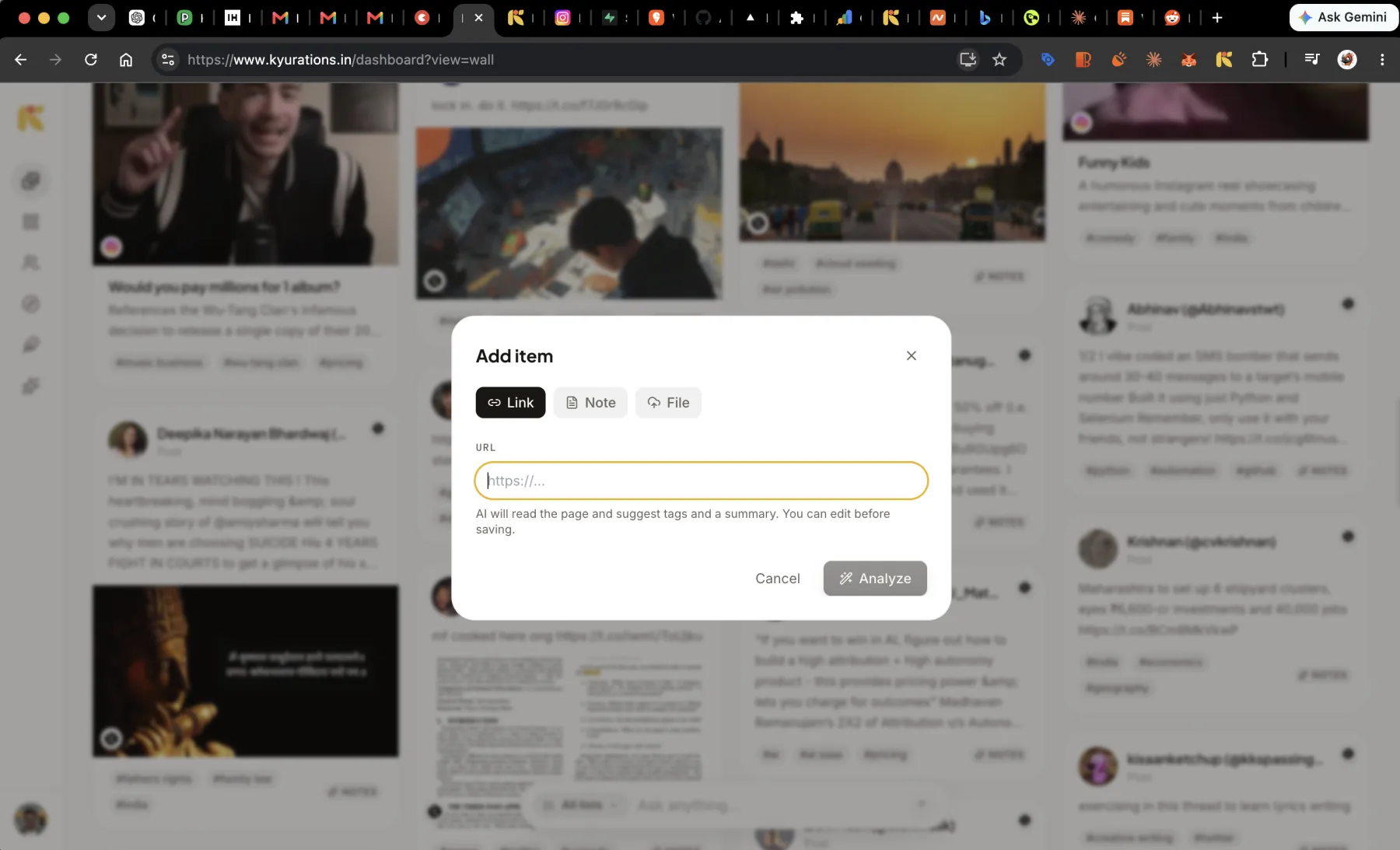
- Link takes any http or https address. It reads the page first and shows you what it found, so you are approving a save rather than making one blind.
- Note has no URL and no title field. The body is the note. This is for the thought that has no link attached, which is most of the good ones. It is a proper writing surface: headings, lists, quotes, colour, links, images you paste or drop straight in, and any font on Google Fonts at any size.
- File takes an upload and treats it as a first-class item, with metadata pulled from the format rather than from a web page.
- Add itemA
- New listN
Bringing in what you already have
There are two bulk imports, and they do different jobs. Readwise walks your library, turns every source into an item and every highlight into an annotation on that item, so your marked-up passages arrive attached to the thing they came from rather than as a separate pile of quotes.
Running it twice is safe. An already-imported highlight is a no-op, so importing again after a month of reading only adds the new ones. The token you paste is used for that one request and never stored.
The second import reads a file, and it is the one for everything else: a bookmarks file from Chrome, Firefox, Safari, Edge or Arc, or an export from Raindrop, Pocket, Instapaper, Pinboard, Omnivore or Notion. Drop it into Settings. The file is read in your browser rather than uploaded, and what it says about each link, the title, the note and the tags, is kept instead of being thrown away and re-fetched.
Your folders come across as DRAFT lists, never signed ones. That distinction is the whole design: a signed list is one you stamped as yours, and an archive you imported wholesale has not been chosen by anybody yet. You sign the ones that turn out to be real collections and leave the rest as drafts. Re-importing the same file changes nothing, because a link you already have is not saved twice.
A large import lands immediately but arrives thin: every link is saved with the title from the file, then its cover, summary and tags fill in afterwards, a batch at a time. Settings shows how many are still waiting and lets you pick the work up later. ENEX from Evernote is not read; export those as a URL list instead.
X and Instagram
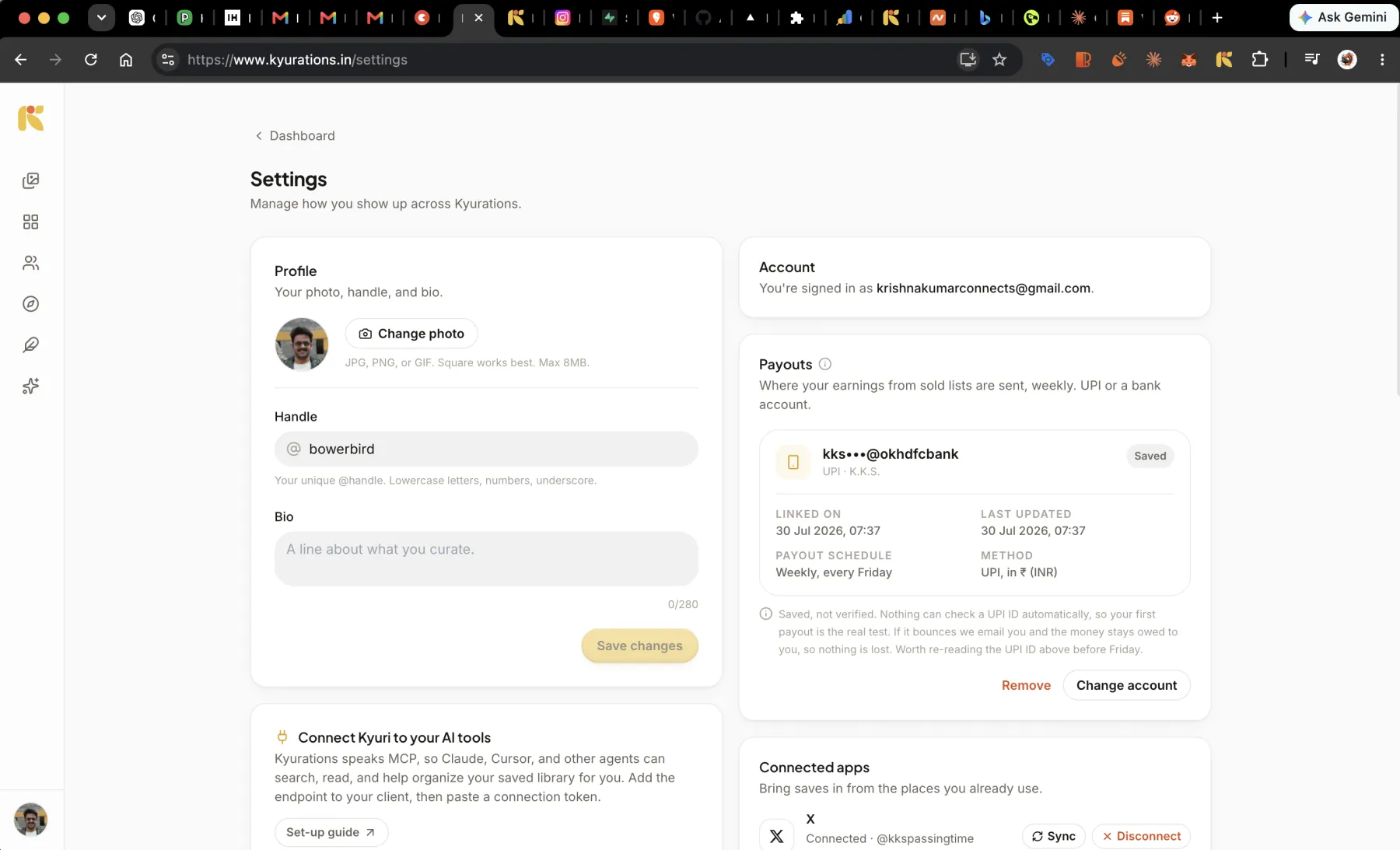
Connect X in Settings and your bookmarks come across. Turn on auto-sync and it keeps checking, at most once every fifty-five minutes, picking up where it stopped rather than starting over. A thread arrives as one item with the whole thread in it, not as one item per post.
Instagram works the other way around. You connect your account, and anything you share to Kyurations in a DM gets saved. Posts and reels both, with the reel playable inline once it lands.
From an AI assistant
Kyurations speaks MCP, so Claude, Cursor and other agents can save on your behalf. Hand one a URL and it goes through exactly the same path as a save you made yourself: extracted, summarised, tagged, deduped. Agents can also write notes with no link attached.
This is covered properly in Kyuri and agents. The point here is that it is a real save path, not a side door with different rules.
Saving the same thing twice
You cannot end up with two copies of one page. A save is keyed on you and the URL, so saving something you already have finds the existing item instead of making another. If you saved it from the extension in March and again from your phone in August, there is still one card, and it is the one you have already annotated.
Notes are the exception, because two notes with the same words are still two thoughts.
Questions
- Do I have to pick a list when I save something?
- No. Everything lands in your Bower, which is the single surface holding everything you have saved. Lists are formed later, either by you or automatically out of what accumulates. Choosing a folder at save time is the step that makes people stop saving.
- Can I save from my phone?
- Yes. The web app works on a phone and can be installed to your home screen. Instagram shares also arrive from your phone, since sharing a reel to Kyurations in a DM saves it.
- What happens if the page I saved goes offline later?
- The cover image is copied to Kyurations at save time rather than hot-linked, and for articles the text itself is captured, so a card does not go blank when the source does. The original link stays on the card either way.