The guideReading and marking up
Reading and marking up
Open the thing, read it, mark the part that mattered.
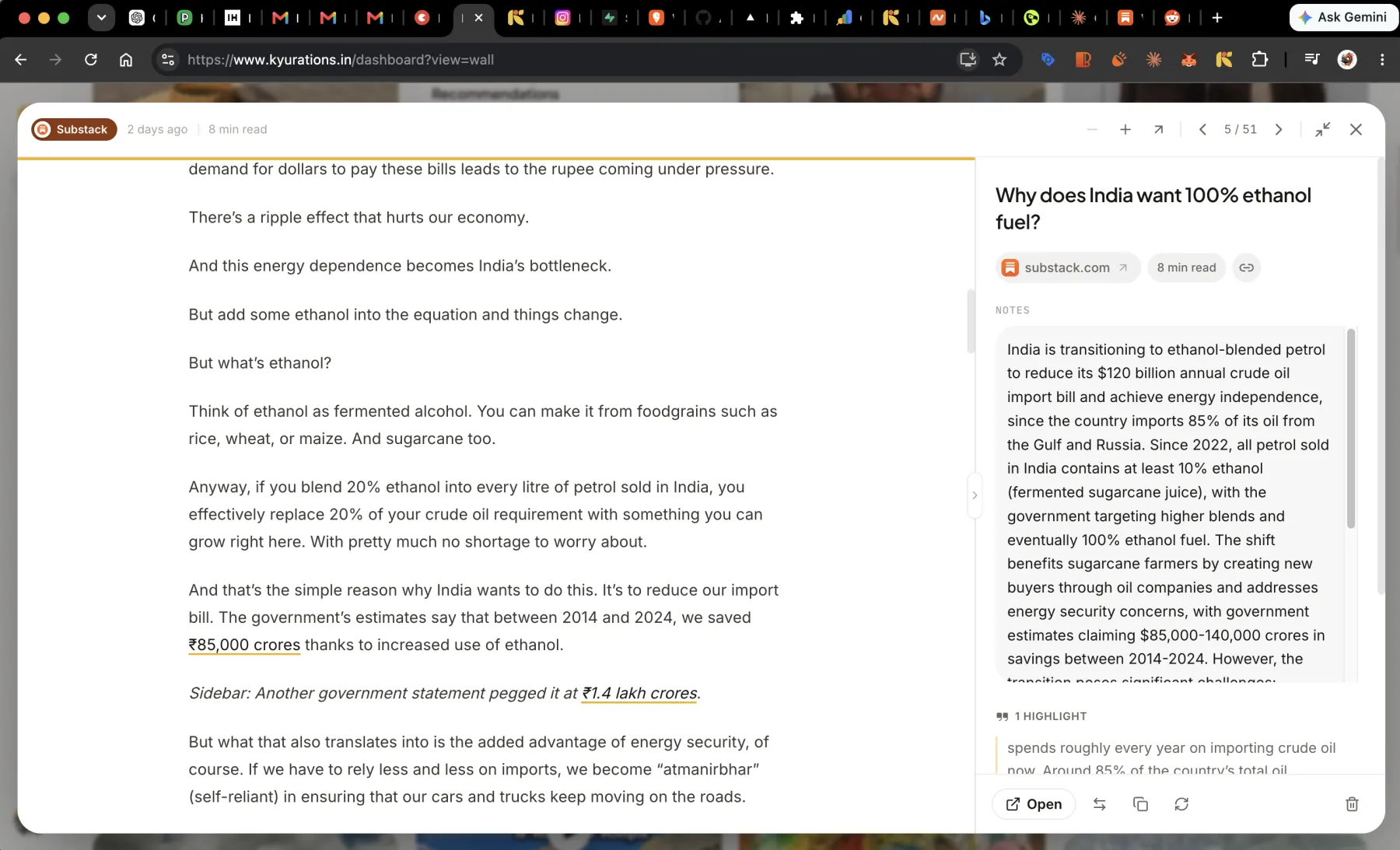
What you saved opens inside Kyurations rather than bouncing you to the original site. Articles open in a reader, PDFs open with real text you can select, videos carry their transcript, and reels play as reels. You can highlight passages, clip a region of a page, and write a note against any of it, and those marks stay attached to the exact words they were made on.
The reader
Open a saved article and you get the text, set to be read, with the summary and your notes in a panel beside it. The original is one click away and mostly you will not want it.
- Hide or show the side panelZ
- Full screenF
- Next item→
- Previous item←
Highlights
Select text and highlight it. The passage stays marked, and it is listed with the item so you can come back to the four sentences that mattered rather than to the whole article.
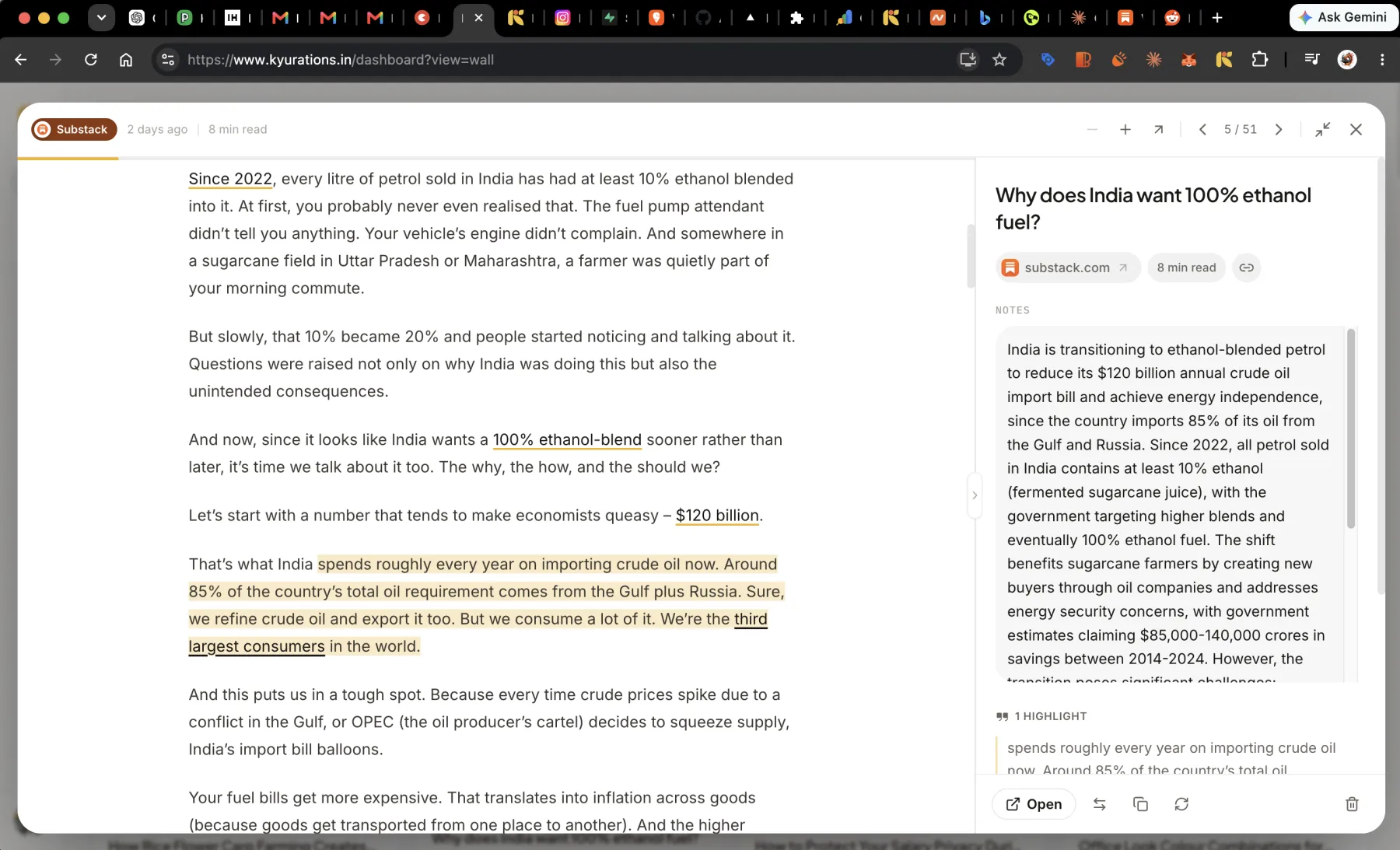
Highlights are anchored to the words rather than to a character offset, using the same matching a browser uses for its own text fragments. That is what lets a highlight survive the page being re-fetched and the text shifting underneath it.
Highlighting works on a phone. A long press and the handles are enough; there is no separate mode to enter.
PDFs
A saved PDF opens in the same place as everything else, with selectable text rather than as a picture of a page. That means it can be highlighted like an article can.
Zoom is a set of measured steps rather than a text size, because a PDF has a fixed layout and growing the type would break it.
Clipping part of a page
Some of what is worth keeping is not text. A chart, a diagram, a screenshot inside an article. You can clip a region of the page and keep it as a mark on the item, alongside the highlights, with a note attached if it needs one.
Video, reels and playlists
A saved video plays in place. Where a transcript was found, it sits beside the video, which makes a forty-minute talk searchable and skimmable.
A set of saved reels plays as reels: full height, one after another, the way the format is meant to be watched. That works on a list somebody shared with you as well as on your own.
A saved course keeps its episode list, so you can see all thirteen videos and where you are in them without leaving.
Notes on anything
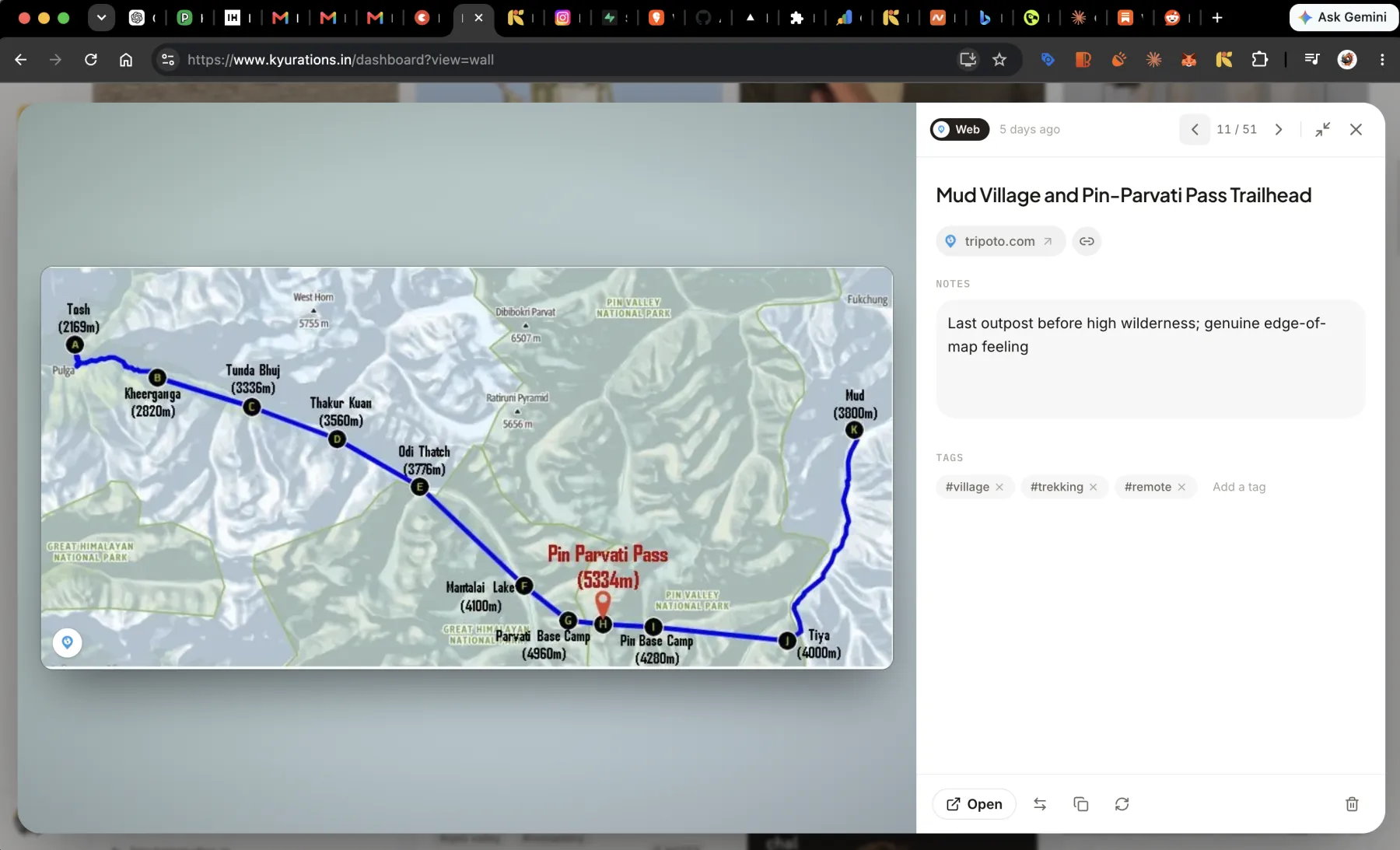
Every item has a note field, editable in place. It is the most useful thing on the card and the most skipped: one line on why this is here does more work six months later than any tag.
- Edit the notesE
- Edit tagsT
- Copy linkC
- Move to a listM
Questions
- Do my highlights survive if the article changes?
- They are matched on the words themselves rather than on a position in the document, using the browser's own text-fragment algorithm. Small edits to the page around a highlight do not lose it. A passage deleted outright cannot be found, and that highlight stays listed with the item.
- Can I read something that has gone offline?
- Usually. Article text is captured at save time and stored with the item, so the reader still has something to show after the source has gone. Each capture is scored as complete or partial so you can tell what you are looking at.
- Does it read paywalled articles?
- It captures what the page gives it. If a site shows the first two paragraphs to everyone, that is what is stored. Kyurations does not get past paywalls, and does not pretend to.