The guideWhat happens on save
What happens on save
The part you would otherwise have to do by hand, done before the card lands.
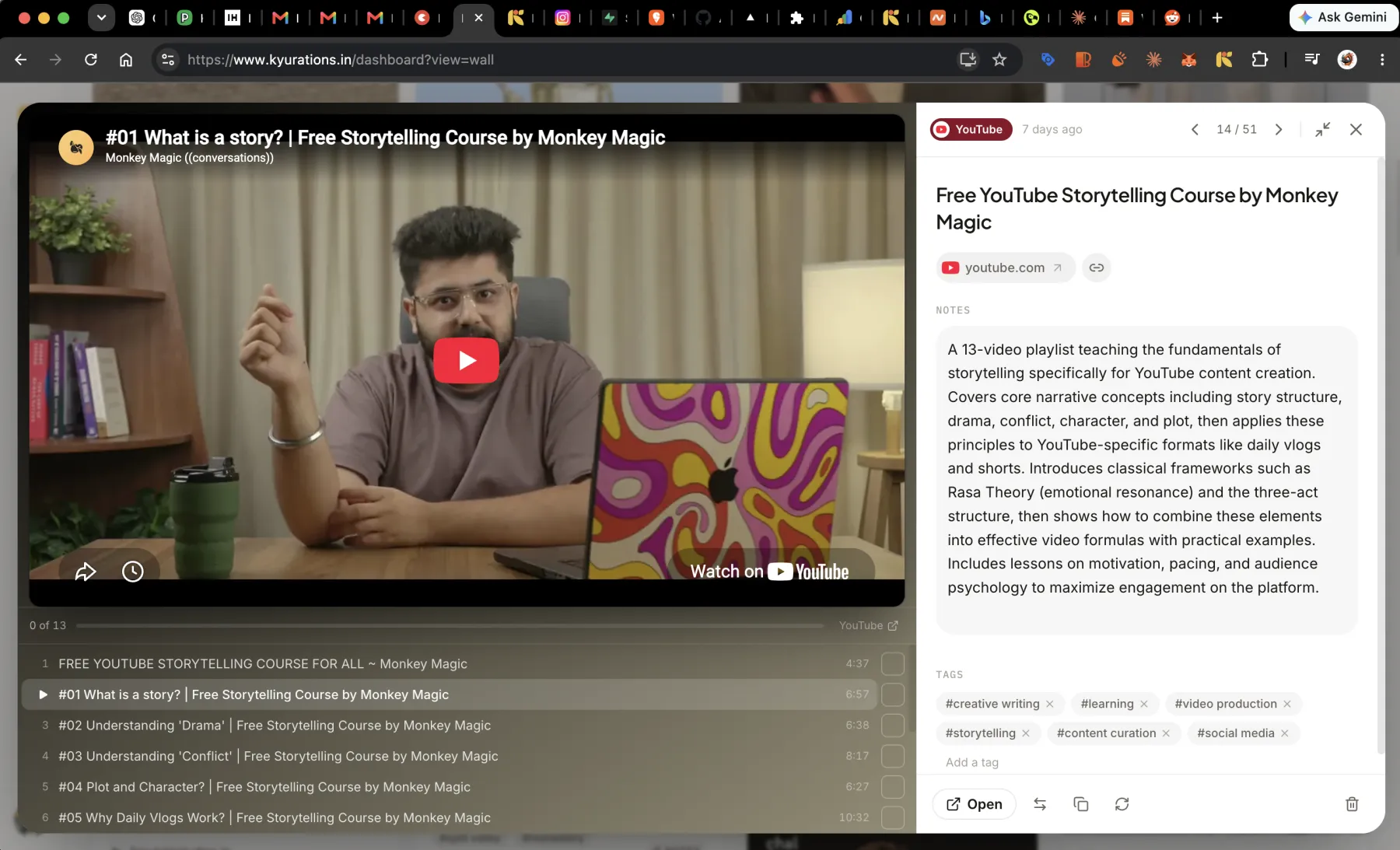
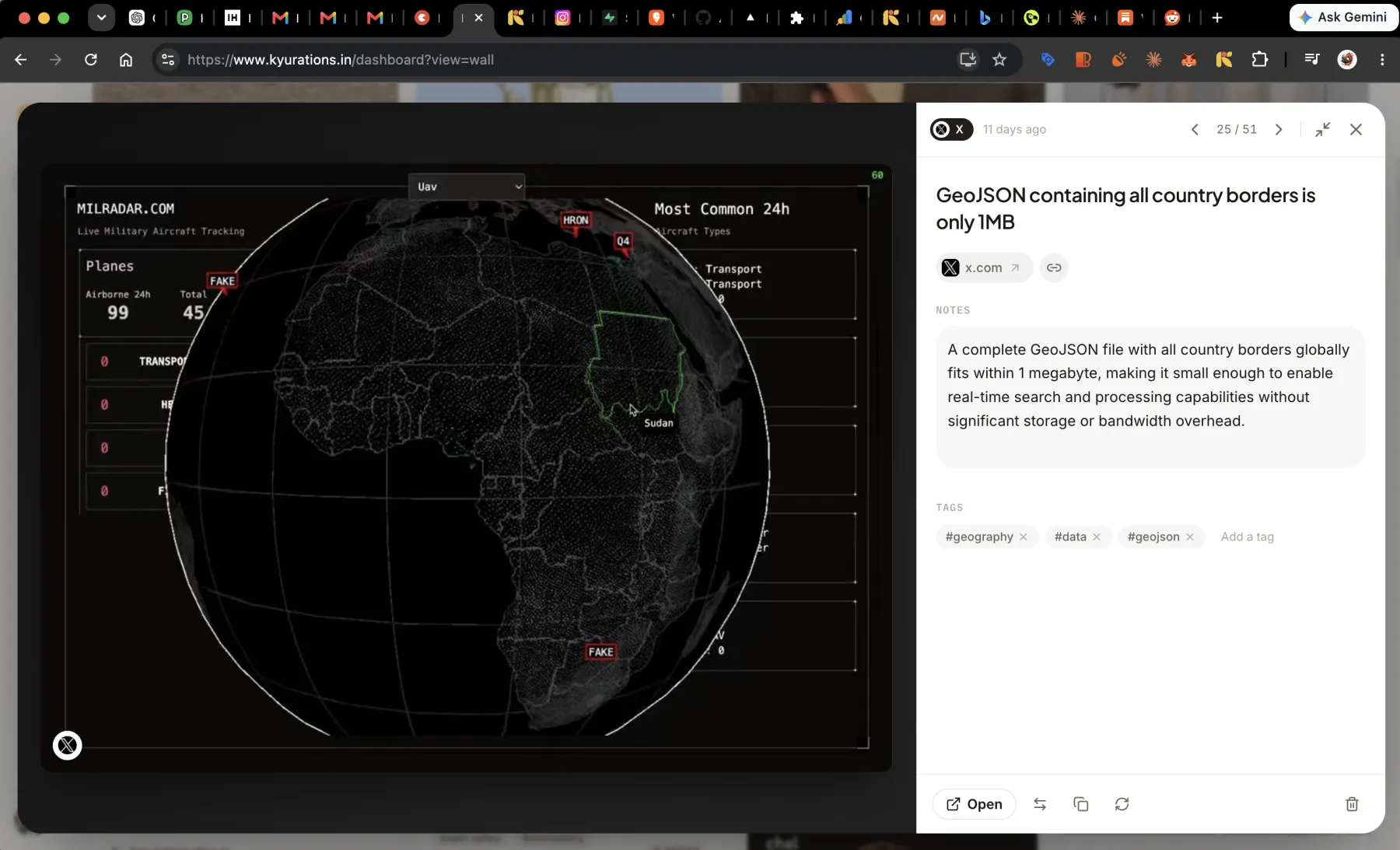
When you save something, Kyurations reads it and fills in what a bookmark normally leaves blank: a real title, a short summary in plain language, a set of tags, the author or channel, and a cover image copied to Kyurations rather than hot-linked. Videos get their transcript where one is available, articles get their full text, and playlists arrive as a single item with the whole syllabus inside. You can edit any of it, and nothing waits on you to do so.
What gets filled in
A saved link is not much on its own. A URL and whatever the page happened to put in its title tag is enough to find something again and not enough to recognise it six months later. So every save is read before it lands.
- A title that says what the thing is, rather than whatever the site called its tab.
- A summary of a few sentences, written to be read rather than to be a preview of the first paragraph.
- Tags, drawn to match the tags already in your library rather than invented fresh each time.
- The author, channel or publication, so a card credits the person who made it.
- A cover image, copied into Kyurations as WebP at save time.
Cards that look like where they came from
A tweet does not look like a YouTube video, and neither looks like a PDF. Kyurations keeps that difference instead of flattening everything into one rectangle with a favicon on it. A card carries the shape of its platform: a post shows its author and its text, a video shows its still and its duration, a reel shows as a reel.
The reason is recognition. You do not remember a saved thing by its title. You remember it as the video with the whiteboard, or the thread by that person, and a card that keeps its native shape lets you find it the way you actually remember it.
Pages without a picture
Plenty of good pages have no cover image. Those do not get a grey box. They become a text-led card with a large favicon tile, named by the publication rather than by the word Web, which tells you nothing.
Video, audio and long text
A video you saved is worth more with its words attached. Where a video has captions, the transcript is fetched and stored with the item, so it can be read, searched and asked about. Reels with no captions at all are transcribed by listening to them.
Articles have their full text captured at save time, which is what makes the reader work and what keeps a card useful after the source has gone. Each one is scored as complete or partial, so you know whether you are reading the whole thing.
A YouTube playlist is saved as one course rather than as forty separate videos, with its syllabus intact. A thread on X is saved as one item containing the thread.
Fixing what it got wrong
Every field is editable, in place, on the card. Titles, summaries, tags and notes are text you can click into. Nothing opens a form.
If a page changed after you saved it, or the save caught it mid-load, refresh from source re-reads the page and rebuilds what it found.
- Edit the notesE
- Edit tagsT
- Refresh from sourceR
Instagram profile pages are the one thing that cannot be read from a server. Everything else on the list of platforms is extracted without a browser in the loop.
Questions
- Which AI writes the summaries?
- Summaries and tags are written by Claude. Search across your library uses embeddings from OpenAI. Neither is trained on your collection.
- Can I turn the automatic summary off?
- There is no switch for it, but nothing is permanent. Every field the save filled in is editable in place, and a summary you rewrite stays rewritten.
- Why do my tags look like tags I already use?
- Because they are matched against your existing tags before new ones are invented. A library where the same idea is filed under three near-identical tags is a library you cannot filter, so tagging is reconciled against what you already have.