
The guideKyuri and AI tools
Kyuri and AI tools
Ask your collection something, and get an answer with receipts.
Kyuri is an assistant that reads your own collection. Ask it a question in plain language and it searches everything you have saved, answers, and cites the specific items it used so you can check the claim. Kyurations also runs an MCP server, so Claude, Cursor and other agents can search, read, save, tag, organise and publish on your behalf from wherever you already work.
Asking your own collection
The useful thing about a collection you built is that you already vetted it. Kyuri answers from that, and only from that. It is not a general chatbot with your bookmarks bolted on.
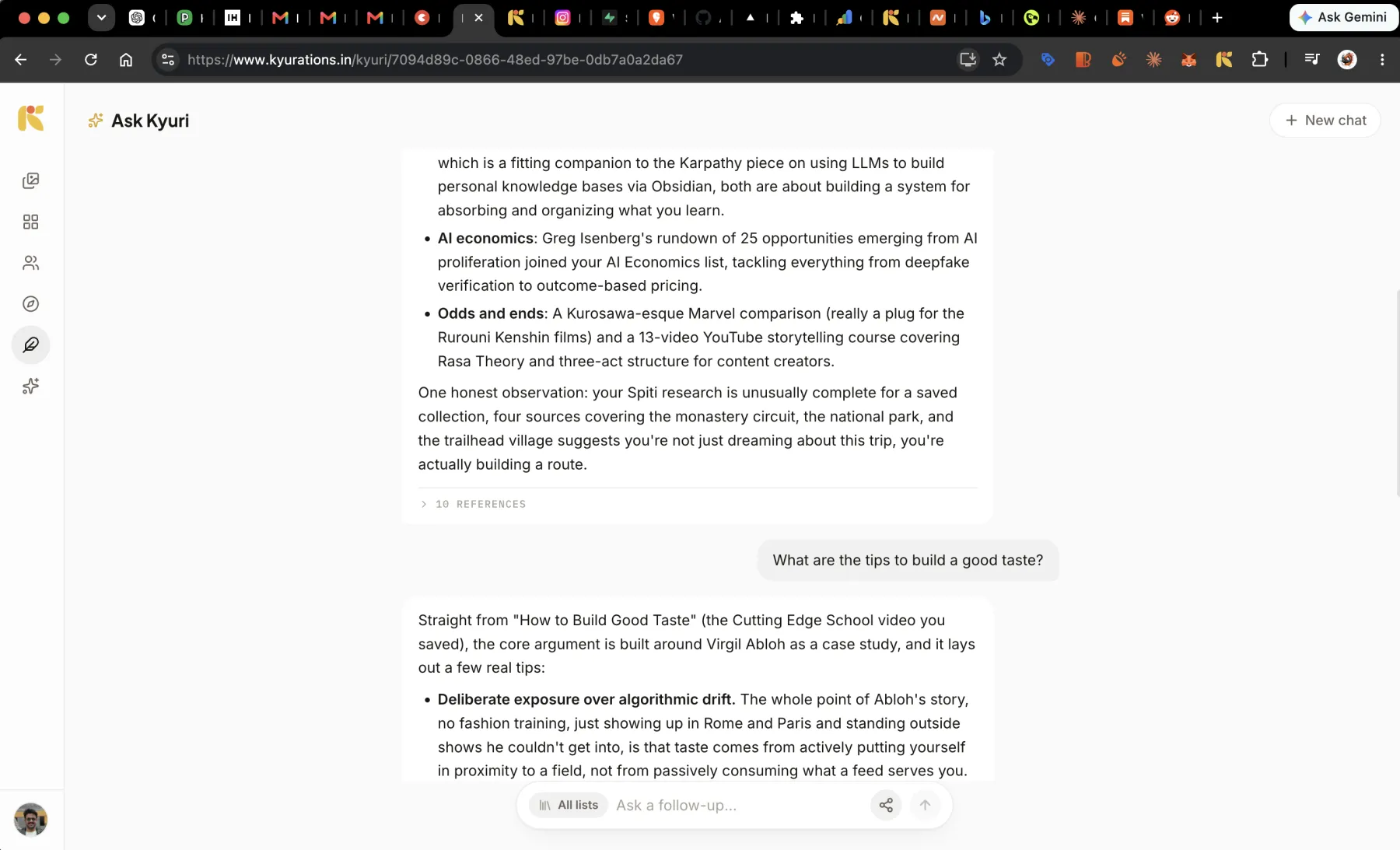
Every answer carries its references. Open them and you get the actual items, so a claim you doubt takes one click to check. If nothing in your collection answers the question, it says so rather than filling the gap.
Narrowing what it reads
The composer carries a scope chip. Leave it on all lists and Kyuri reads everything; point it at one list and it reads only that. Asking a question of a single collection is how you get an answer about that subject rather than an answer that drags in everything adjacent.
- Ask Kyuri/
- Go to KyuriGthenK
- New chatCtrlShiftO
- Focus the composer/
Taking a conversation elsewhere
A chat can be handed off to ChatGPT or Claude, carrying what you were talking about with it, for when the next step needs a general model rather than one confined to your library.
- Hand off this chatCtrlShiftE
Connecting your own AI tools
Kyurations speaks the Model Context Protocol. Generate a token in Settings, paste the endpoint and the token into your client, and your library becomes something the assistant you already use can work with.
Reading tools, for asking:
- Search the library, semantically and by keyword, with a link on every result.
- Filter by platform, type, author, tag, date or a named list.
- Count and break things down: how many videos, what you save most about, how much sits where.
- Read an item in full, including its transcript, with its source, author and tags.
- See your lists, with sizes and public links.
Writing tools, for curating:
- Create a list and fill it, adding and removing items as it takes shape.
- Save a new link, extracted and deduped exactly as if you had saved it yourself.
- Write a note with no link attached.
- Edit what is saved, changing only the field named.
- Tag and retag across items.
- Publish a list and get its link back, or take it private again.
- Delete to the trash, and restore from it. Marked destructive, so a good client asks first.
Tokens are per-client and revocable. Connected apps in Settings lists everything holding one, with the date it was last used, and revoking is immediate.
The AI Kyurator
There is a second thing in here, which goes the other way: rather than reading what you saved, it goes and finds things it thinks match your taste, and proposes them.
The AI Kyurator is not open yet. It runs on the maker's own account while the taste model is tuned, because a recommender that has not earned its judgement is just noise with a nice interface. Everything else on this page is available to everyone today.
Questions
- Does Kyuri make things up?
- It answers from your collection and cites the items it used. Where your collection has nothing to say on a question, the honest answer is that it has nothing, and that is what you get.
- Is my collection used to train a model?
- No. Summaries are generated by Claude and search runs on embeddings from OpenAI, both as ordinary API calls. Your library is not training data.
- Which MCP clients work?
- Any client that speaks MCP. Claude, Cursor and the rest connect the same way: an endpoint and a token, both generated in Settings.