
The guideYour account and your data
Your account and your data
Your handle, your connections, and the door marked exit.
Settings holds your handle, photo and bio, the apps you have connected, your payout destination and your keyboard preferences. Everything you have saved can be exported at any time, per list or as a whole account, in four formats. There is no lock-in and no export fee.
Your handle and profile
Your handle is your address. It is where your published collections live, and it is what you put in a bio somewhere else. Three to twenty characters, lowercase letters, numbers and underscores.
You can change it up to three times in any rolling three months. The limit exists because a handle is a public address other people have linked to, and a name that moves every week is not an address.
A photo and a one-line bio sit beside it. Both show on your profile and on every collection you publish.
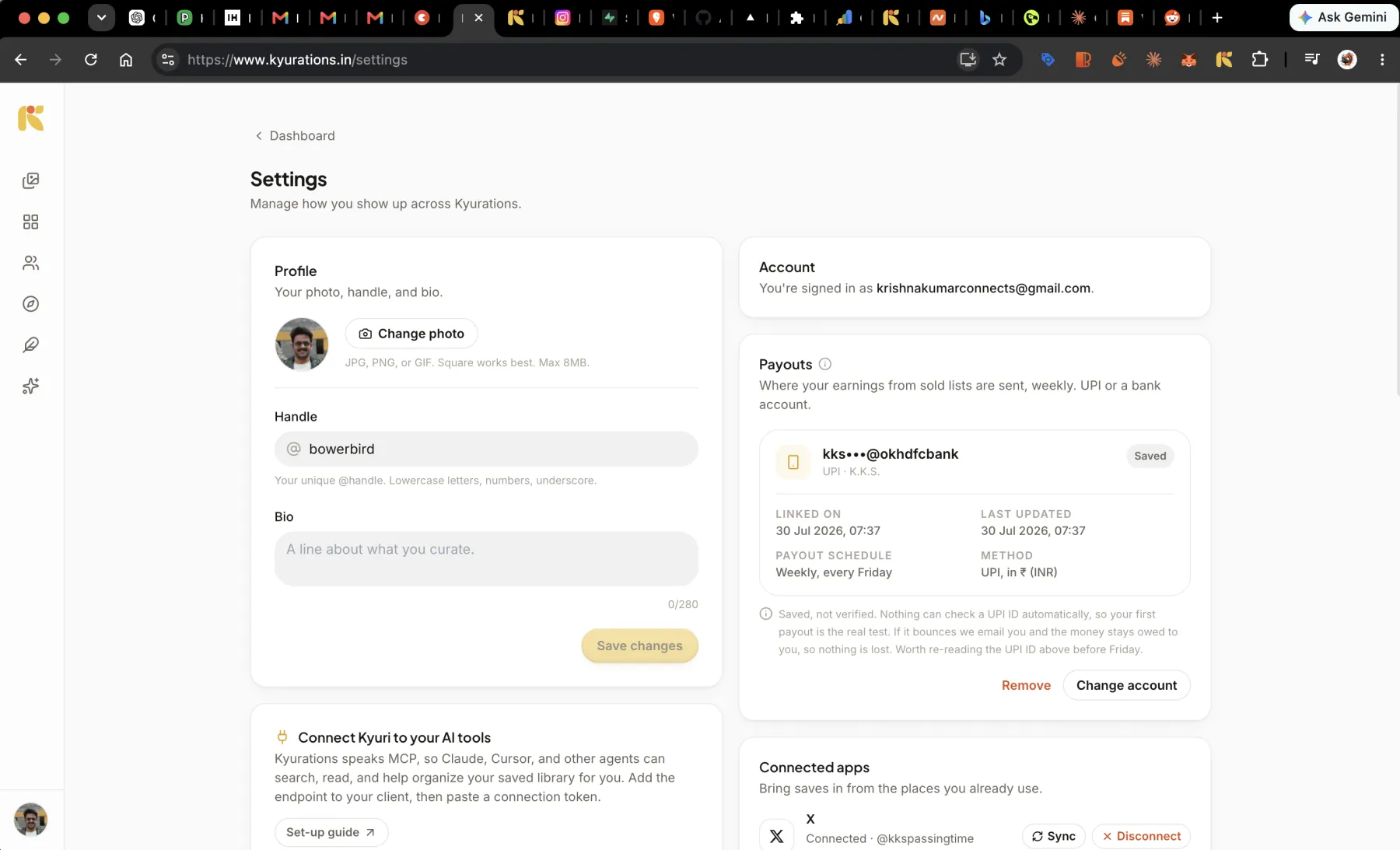
Connected apps
- X, for pulling in your bookmarks, with auto-sync as an option.
- Instagram, so anything you share to Kyurations in a DM gets saved.
- The Chrome extension, for one-click saving from any page.
- Any MCP client holding a token, each listed with when it was last used.
Every one of them disconnects from the same place, and disconnecting takes effect immediately.
Keyboard preferences
Single-key shortcuts can be turned off. This is for people who dictate: speech input types letters into whatever has focus, and a bare `d` that deletes something is a bad interaction with a microphone. Turning them off leaves the modifier shortcuts working.
Taking everything out
Export gives you what you saved, in a form something else can read. It works on one list or on the whole account.
| Format | What you get | For |
|---|---|---|
| Markdown | A zip of files, one per list, with notes and highlights | Obsidian, and anything else that reads plain text |
| CSV | One row per item, with its fields as columns | A spreadsheet, or a script |
| Bookmarks | A Netscape bookmark file | Importing into a browser |
| JSON | The full structure, nothing dropped | Moving to another tool, or keeping a real backup |
The bookmark format was invented in the nineties and has room for a name, a URL and a date. Notes, tags and highlights do not survive it. The other three formats carry everything, and the export dialog says so before you pick.
What is stored, and what is not
Your collection is yours. It is not sold, not used as training data, and not mined to build a profile of you. The privacy page sets out what is kept and why, in the same plain language as the rest of this.
Some credentials are deliberately never stored at all. The token you paste to import from Readwise is used for that one request and dropped when it finishes.
Telling us something is wrong
There is a feedback item in the account menu. It writes to the person who builds this, not to a queue. The release notes are the other half of that conversation: everything that ships is listed there, dated.
Questions
- Is Kyurations free?
- Yes. Saving, curating, publishing, asking Kyuri and exporting all cost nothing. The only money that changes hands is when somebody sells a collection, and then Kyurations takes a share of that sale.
- Can I export and leave?
- Yes, at any time, in four formats, with no fee and nothing withheld. A tool that makes leaving hard is a tool that has stopped trying to be worth staying for.
- Does it work on a phone?
- Yes. The web app is built for a phone as well as a desktop and can be installed to the home screen. Highlighting, reading and reels all work by touch.